
Construction management,
by and for civil engineers.
Field logs, RFIs, pay applications, in-browser CAD, 3D estimating, and scheduling — all connected in one tool. Built to replace the spreadsheet stack.
I'm a civil engineer with over sixteen years of experience building large public infrastructure jobs. I've been coding on the side, for fun, for about twenty-two years. Recent AI tooling made it fast enough to put together the kind of tools I'd been wishing I had since the start of my career.
I built CivilXL so I could see a job on the go, from one place, instead of digging through ten spreadsheets and three folders to answer a single question. One project, one set of entities, one place — plus a few things I could never quite do in Excel: in-browser CAD, 3D takeoffs, a center-of-gravity calculator for rigging picks, and a station-by-station closure-plan paint grid for road and bridge work.
If you've been there, it'll feel familiar.
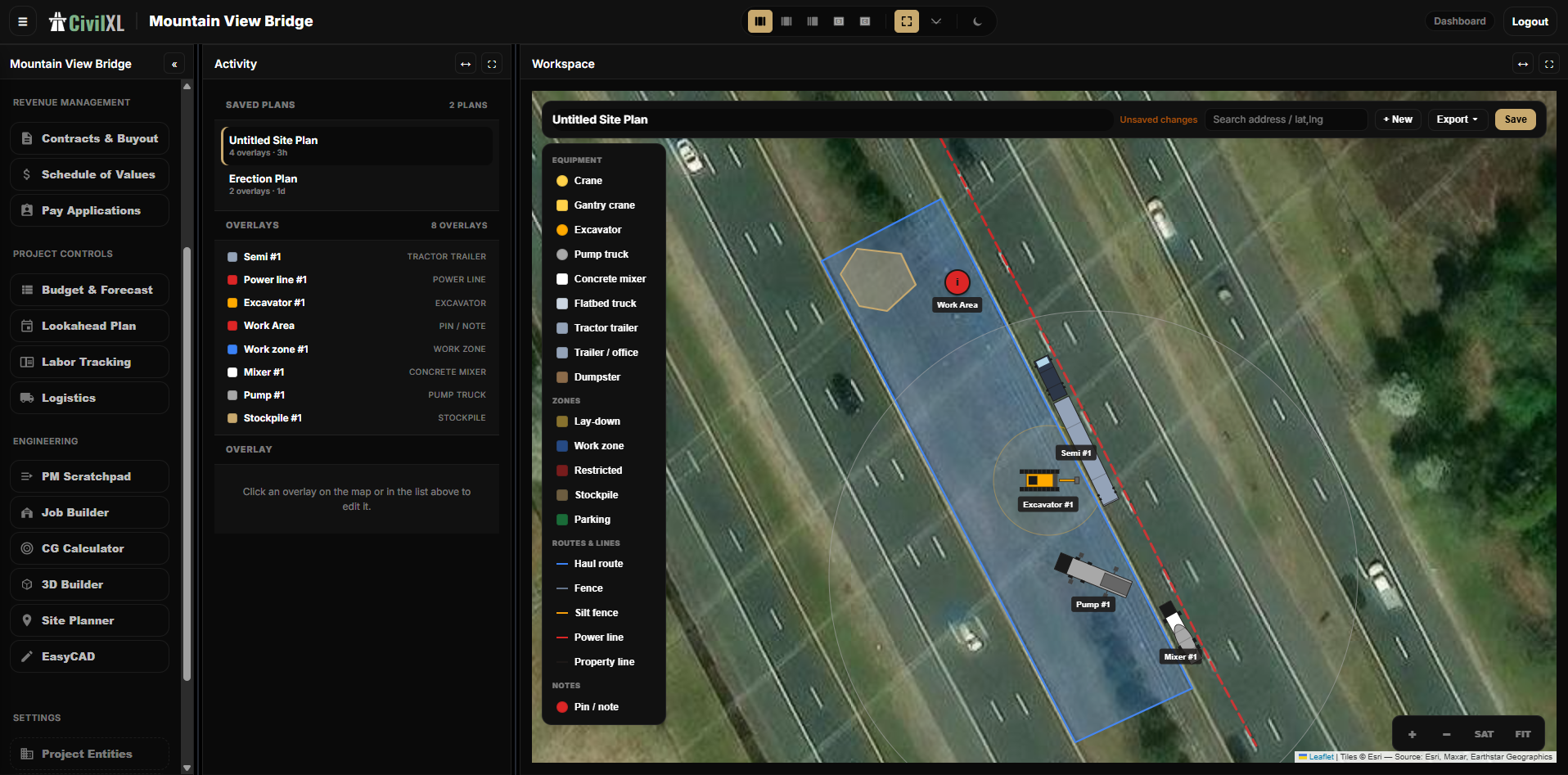
Site Planner
Drop equipment, work zones, haul routes, fences, and stockpiles directly onto satellite imagery of the jobsite. Save site plans, version them per phase, and share read-only links with subs, owners, and inspectors.
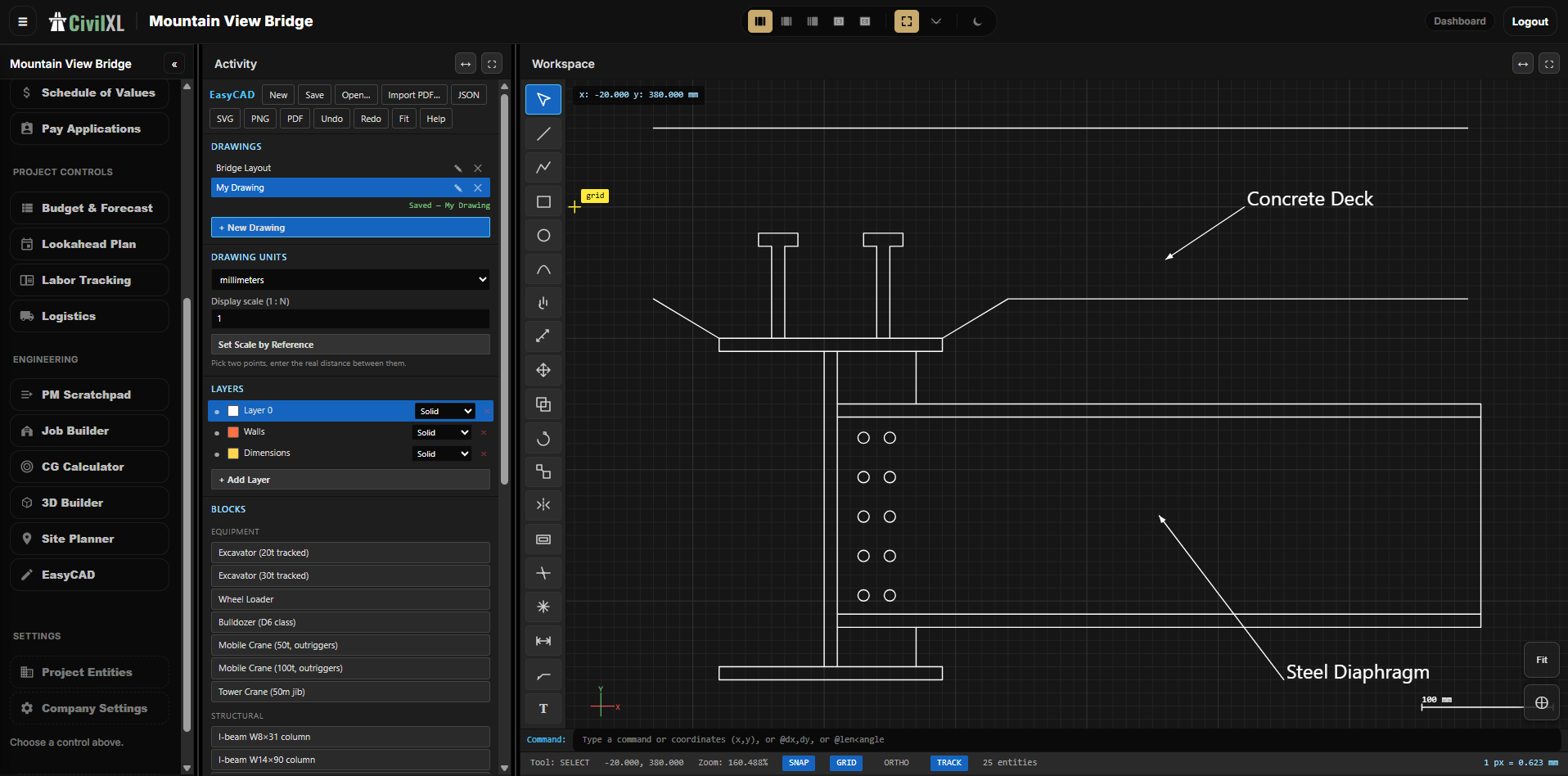
EasyCAD
A lightweight CAD in the browser. Lines, dimensions, layers, hatch, blocks, and a stamps library covering common equipment and structural shapes. Save as SVG, PNG, or PDF — no seat license, no install.
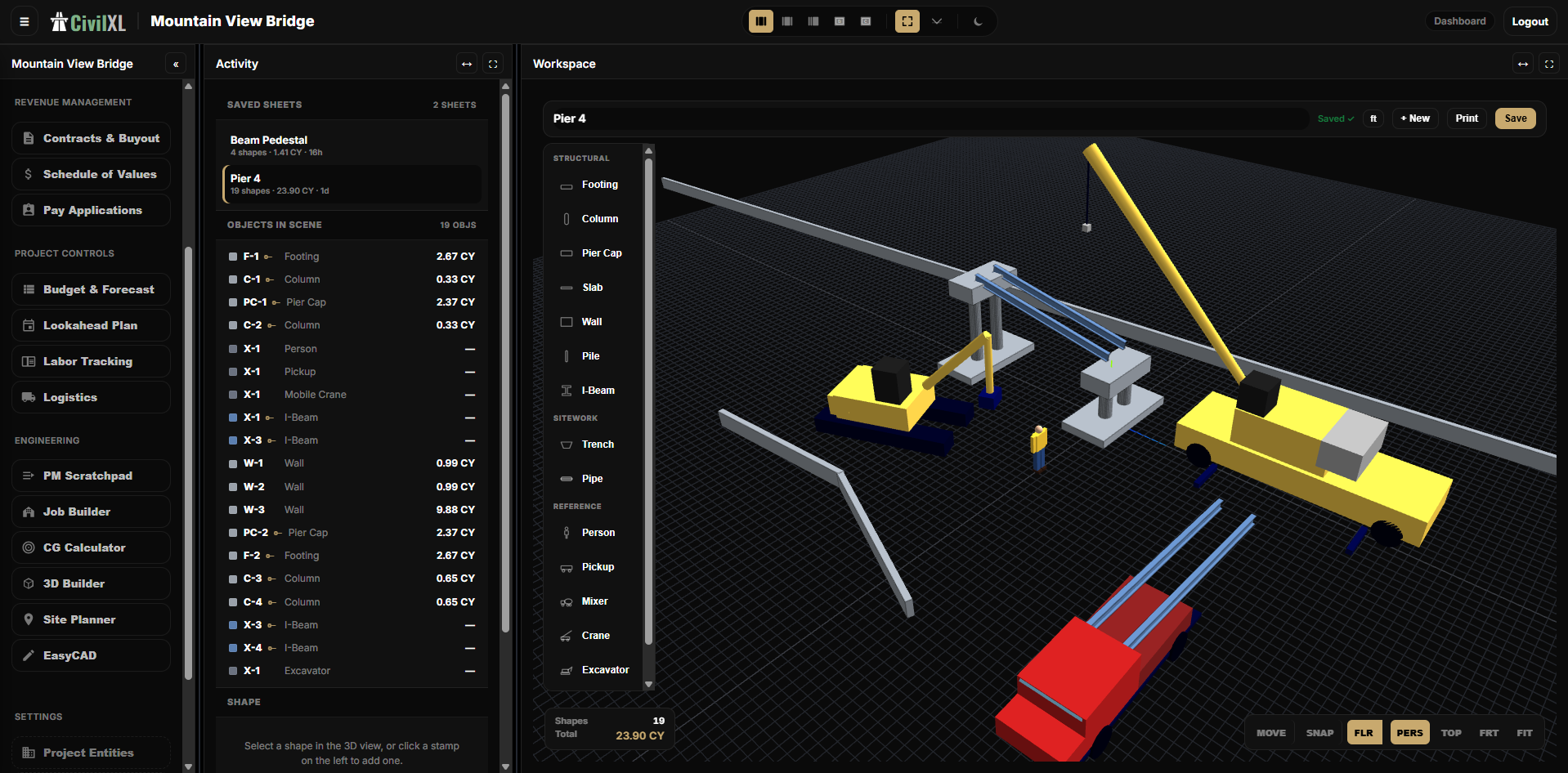
3D Builder
Sketch a footing, pier, or pedestal in 3D from structural and sitework primitives. Concrete cubic yards and piece counts calculate live as you place shapes, so the model and the takeoff never drift apart.
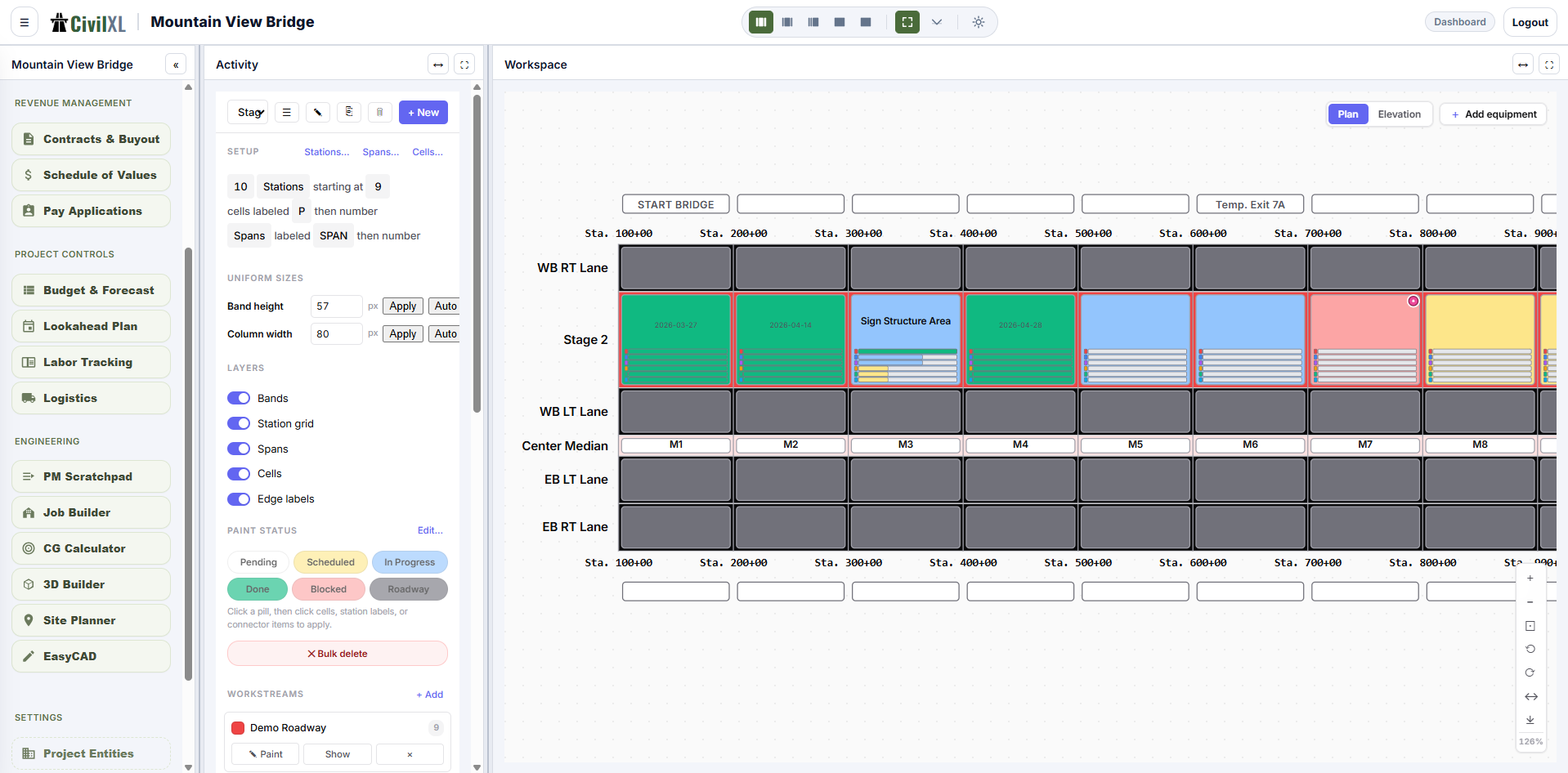
Job Builder
Lay out staged work across station-by-station highway or bridge geometry. Paint cells by status, tie spans to dates, and produce a closure plan a foreman or DOT inspector can read at a glance.
CG Calculator
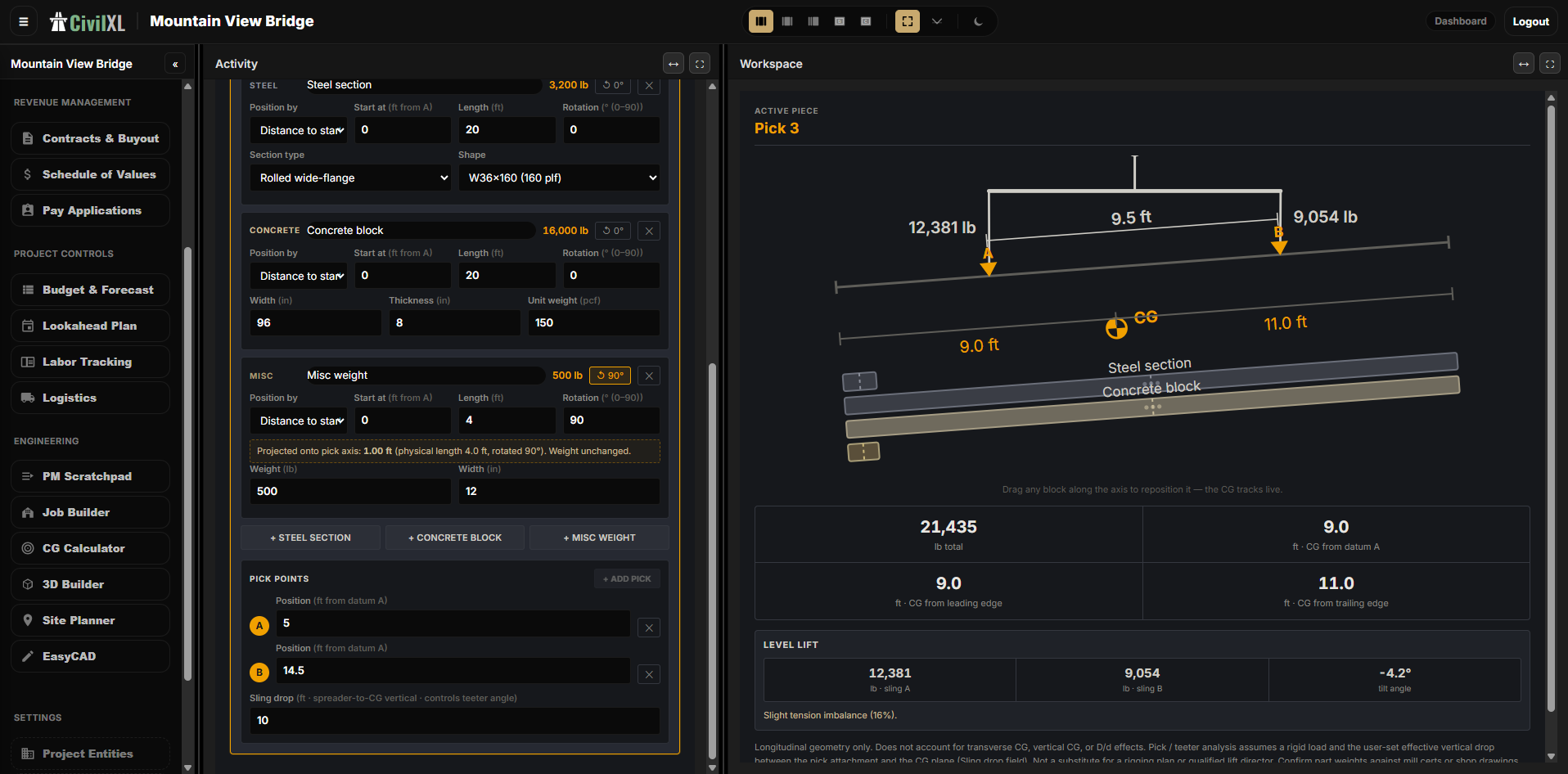
Plan a critical pick. Lay out steel sections, concrete blocks, and miscellaneous weights along a pick axis, set the rigging points, and read center of gravity, sling loads, and tilt angle live as you adjust.
Field logs
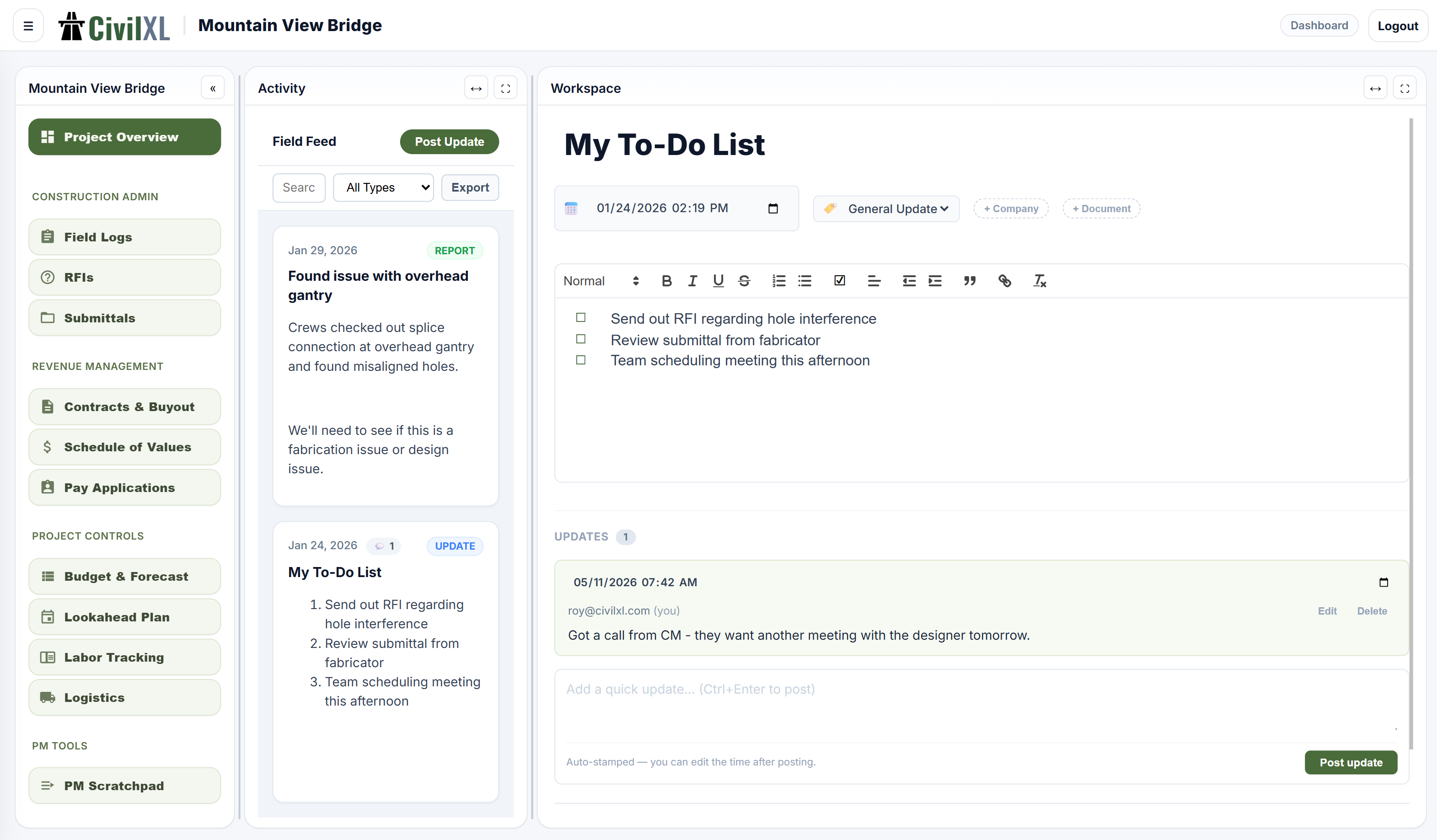
Daily reports for the field. Track quantities, weather, crews, equipment, and observations with timestamps, entity tags, and photos. Every entry leaves a paper trail.
RFIs
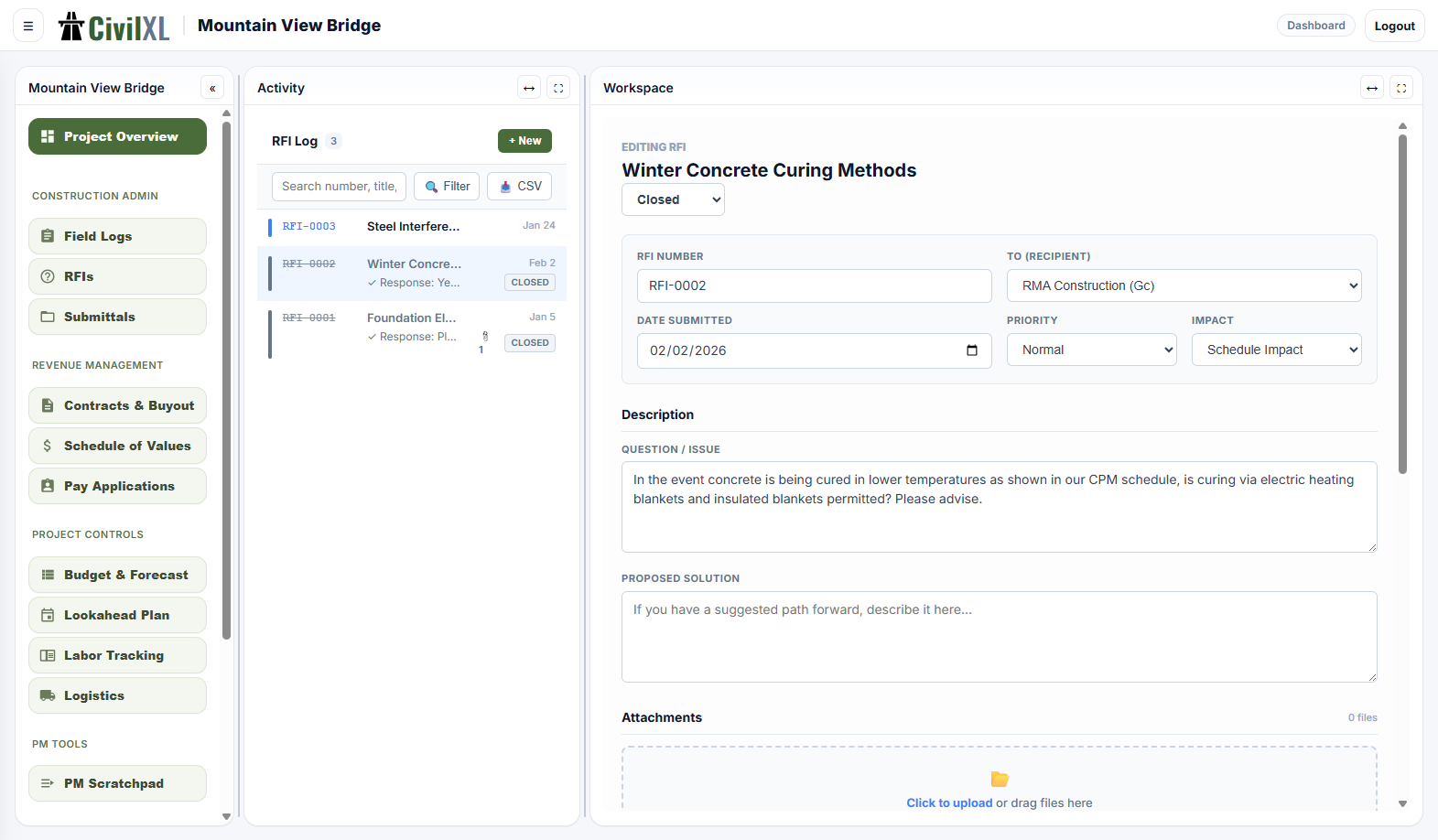
Request, route, and close out RFIs. Each one is tagged to the entity it's directed at, dated, and tracked through response so nothing sits open longer than it should.
Submittals
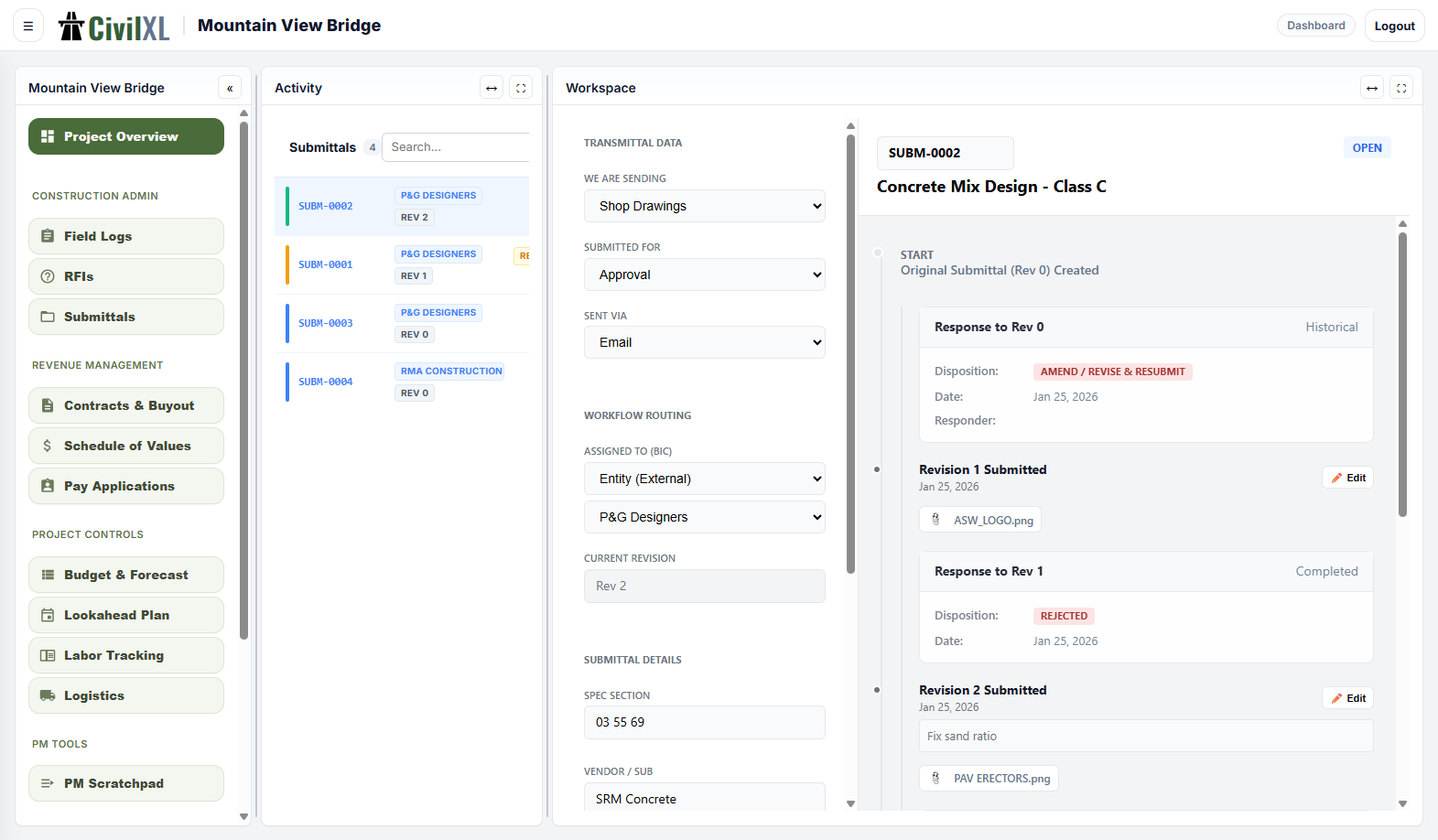
Submittal log with status, dates, and dependencies. Each item is tied to a spec section and the responsible vendor, so you can see exactly what's blocking what.
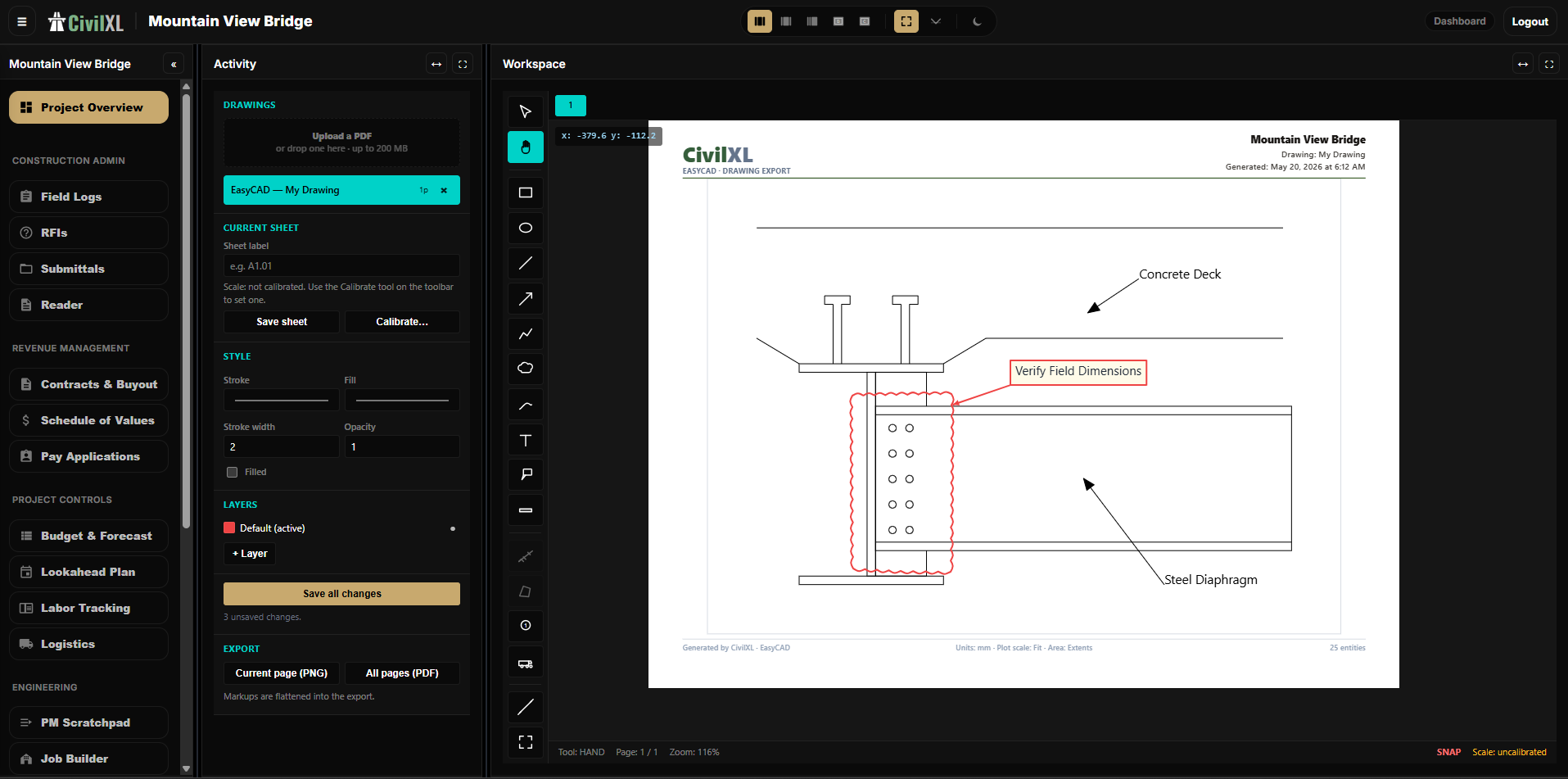
Reader
Open a plan set or shop drawing in the browser and mark it up. Calibrate to scale, drop callouts and revision clouds, take measurements, and export an annotated PDF — no separate desktop license required.
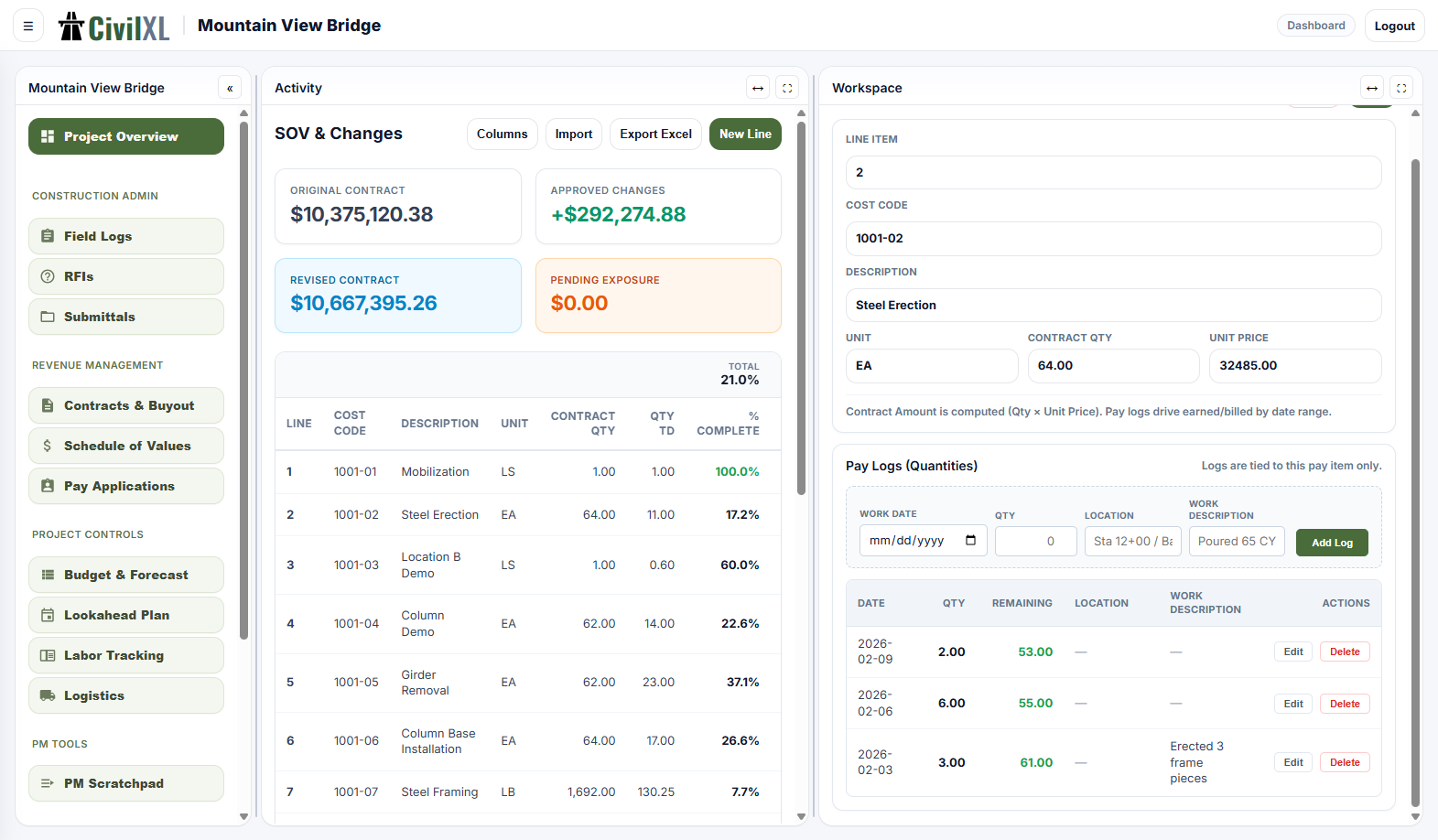
Schedule of values
Pay items, quantities, unit prices, and billed-to-date on one connected sheet. Drives your pay applications directly — no re-typing numbers between spreadsheets.
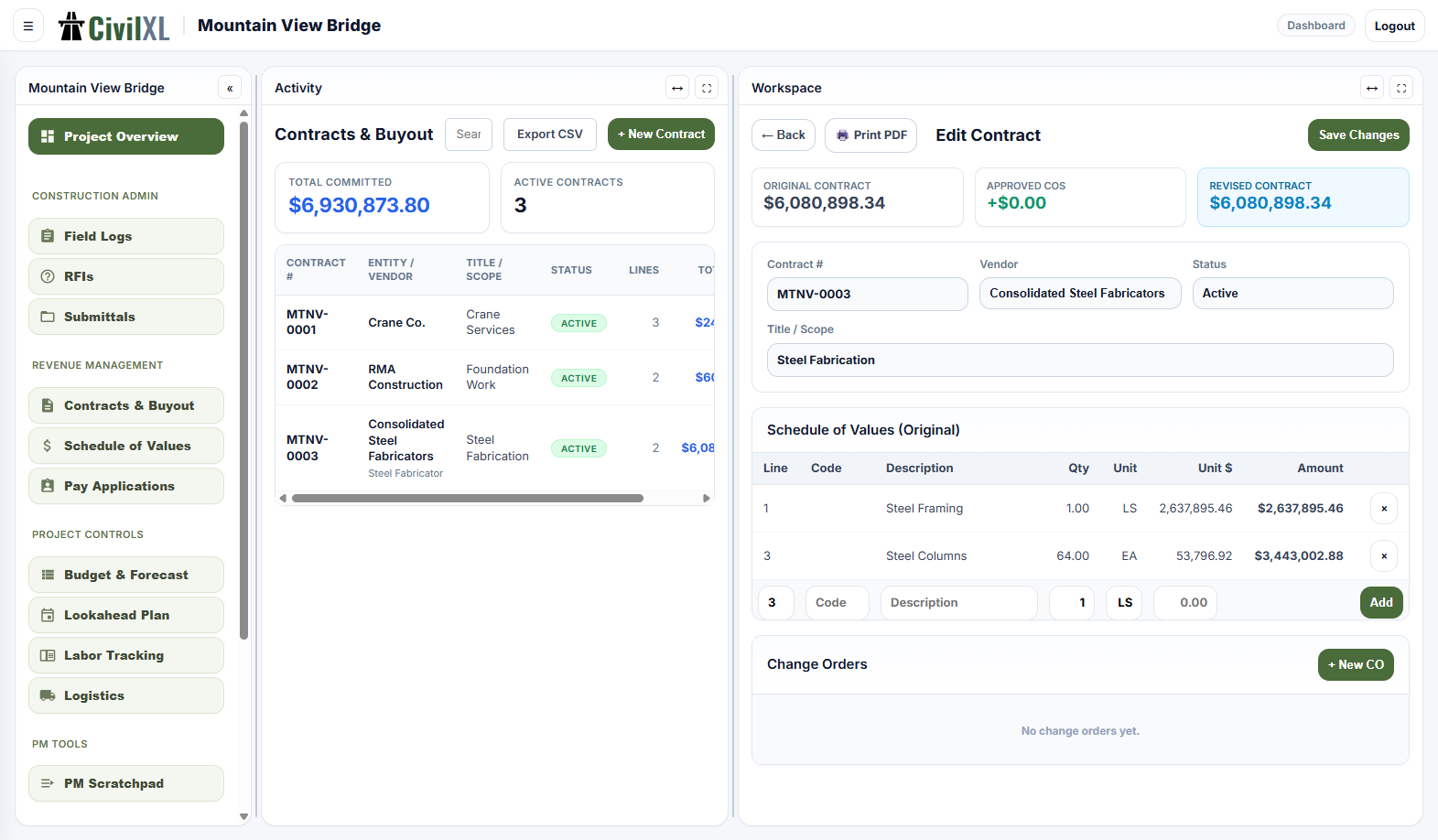
Contract management
Prime and subcontracts, change orders, and retainage rules in one place. Versioned and tied to project entities, so the contract picture stays clean as the job moves.
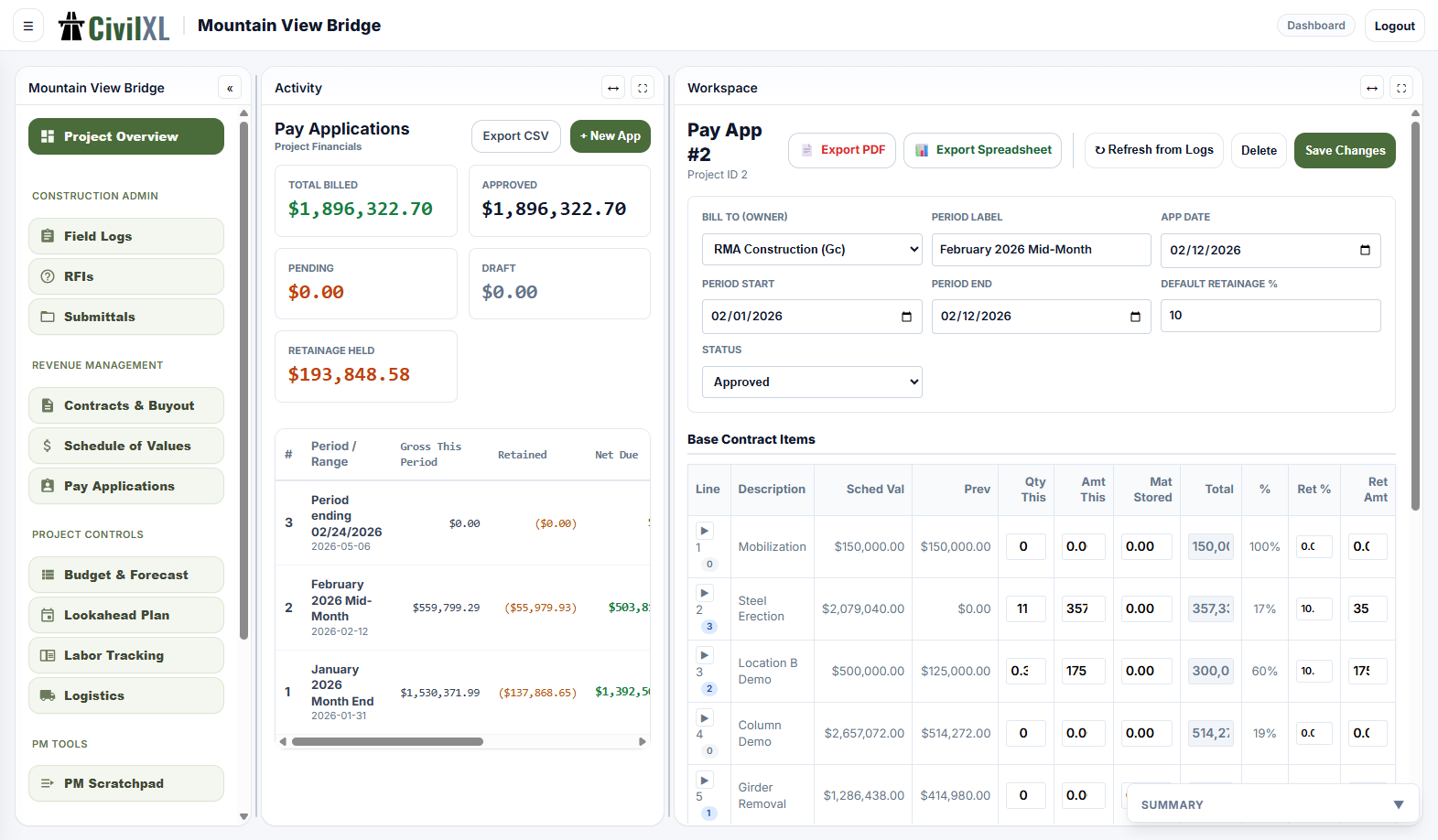
Pay applications
Generate AIA-style G702 / G703 directly from the schedule of values. Submit, track, and close monthly billings without rebuilding the workbook every period.
Cost forecasting
Project cost out by line item, factoring in committed costs, change orders, and trends. See where the job is going to land before it lands.
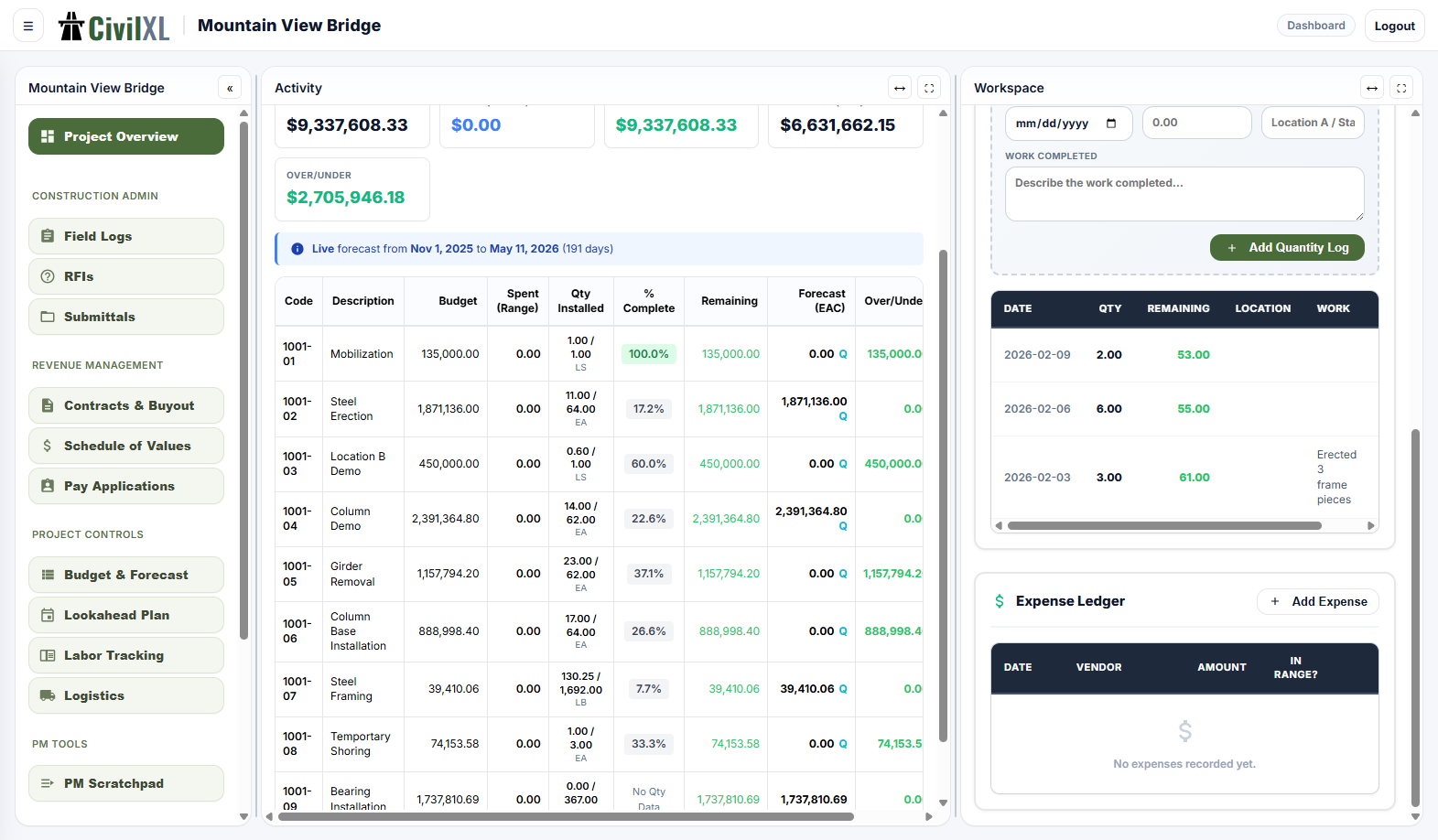
Daily scheduling
The day-by-day project schedule. Phases, milestones, dependencies, baselines, and a working critical path — without rebuilding the schedule every week.
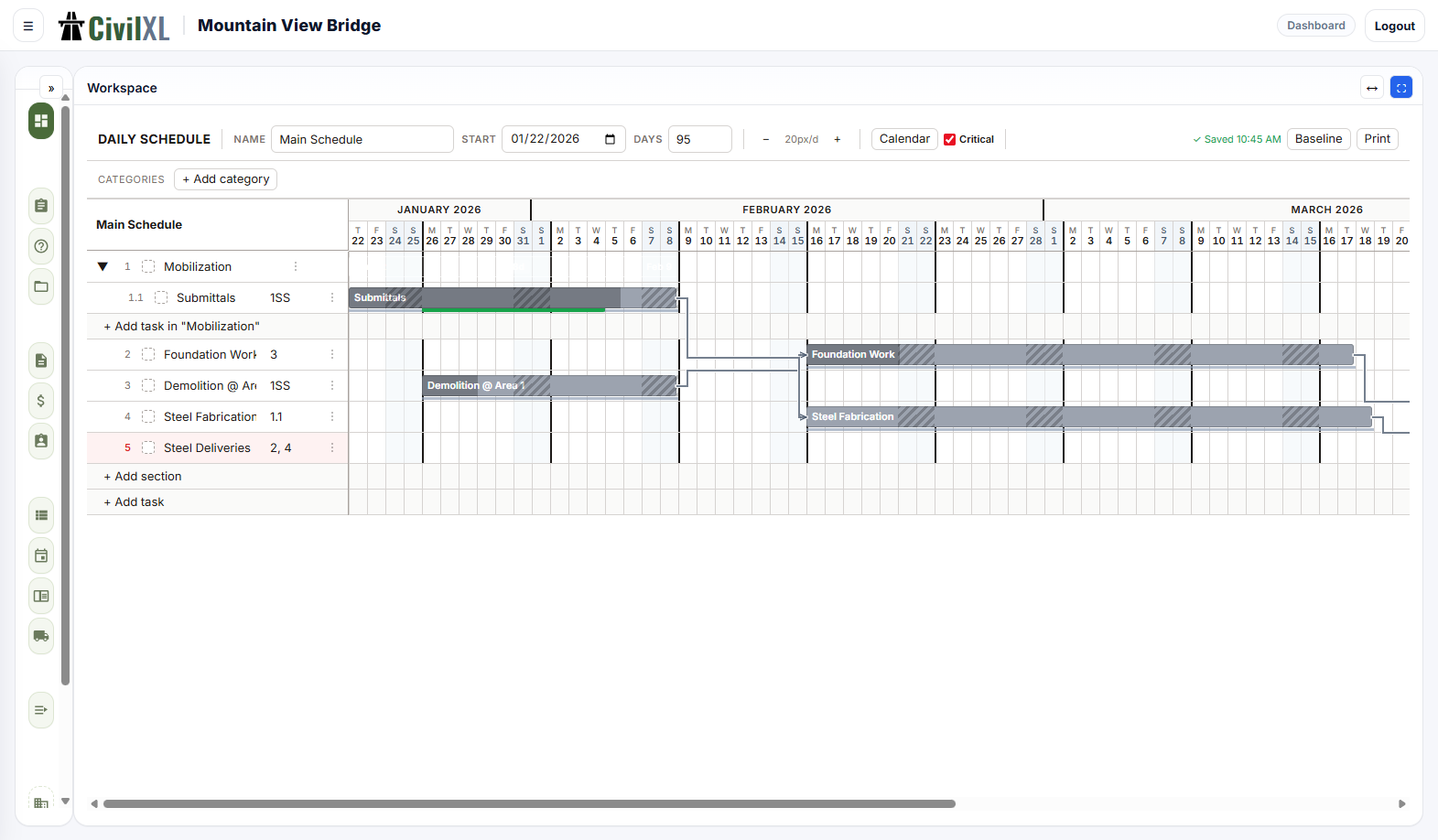
Hour-by-hour scheduling
Plan a shift down to 15-minute increments. Lay out crews, tasks, and equipment on an hourly timeline — the level of detail a foreman actually thinks in.
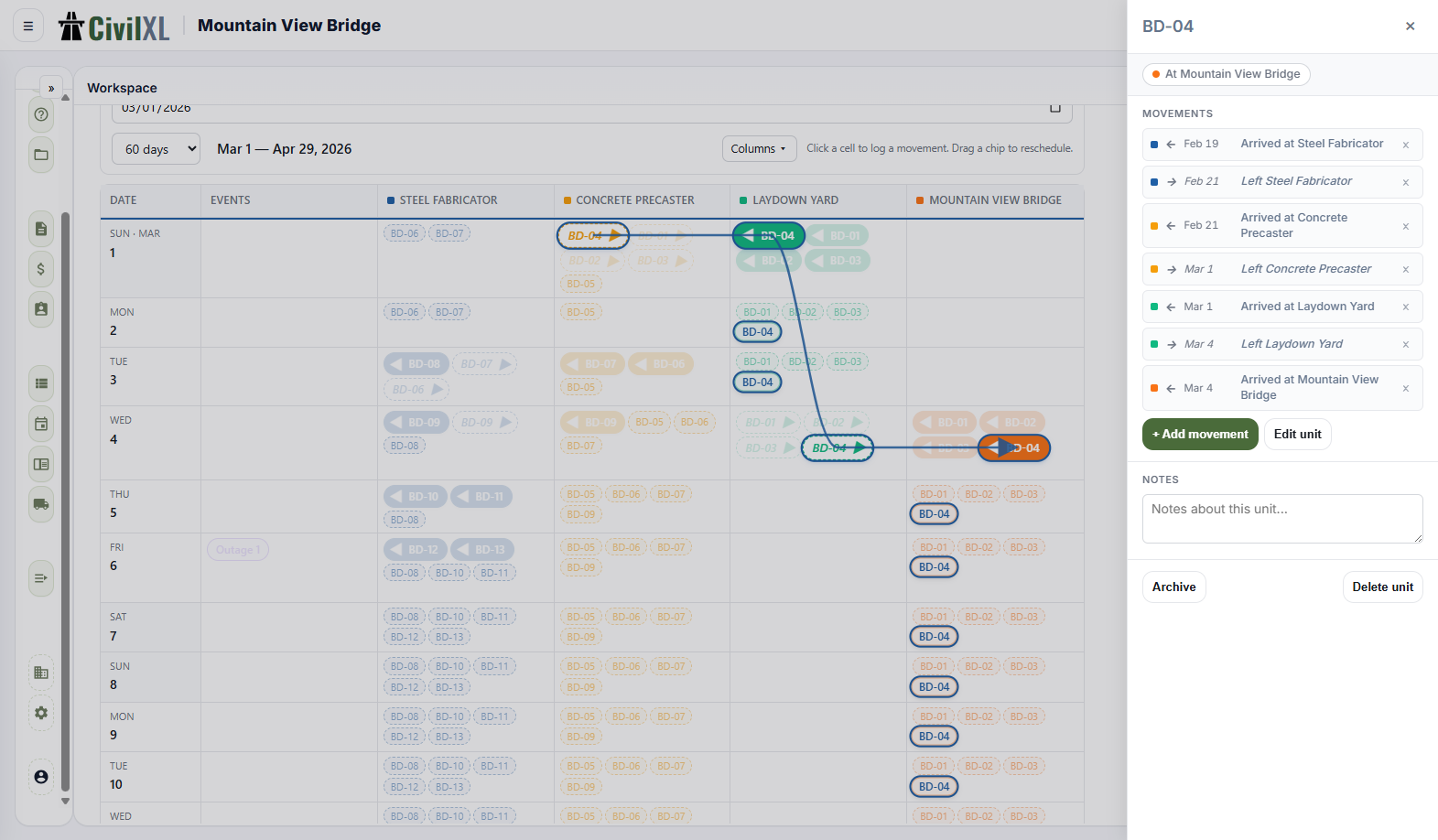
Logistics planning & tracking
Plan site logistics, track equipment locations, and coordinate deliveries. Generate public links so vendors and inspectors can see what they need without an account.
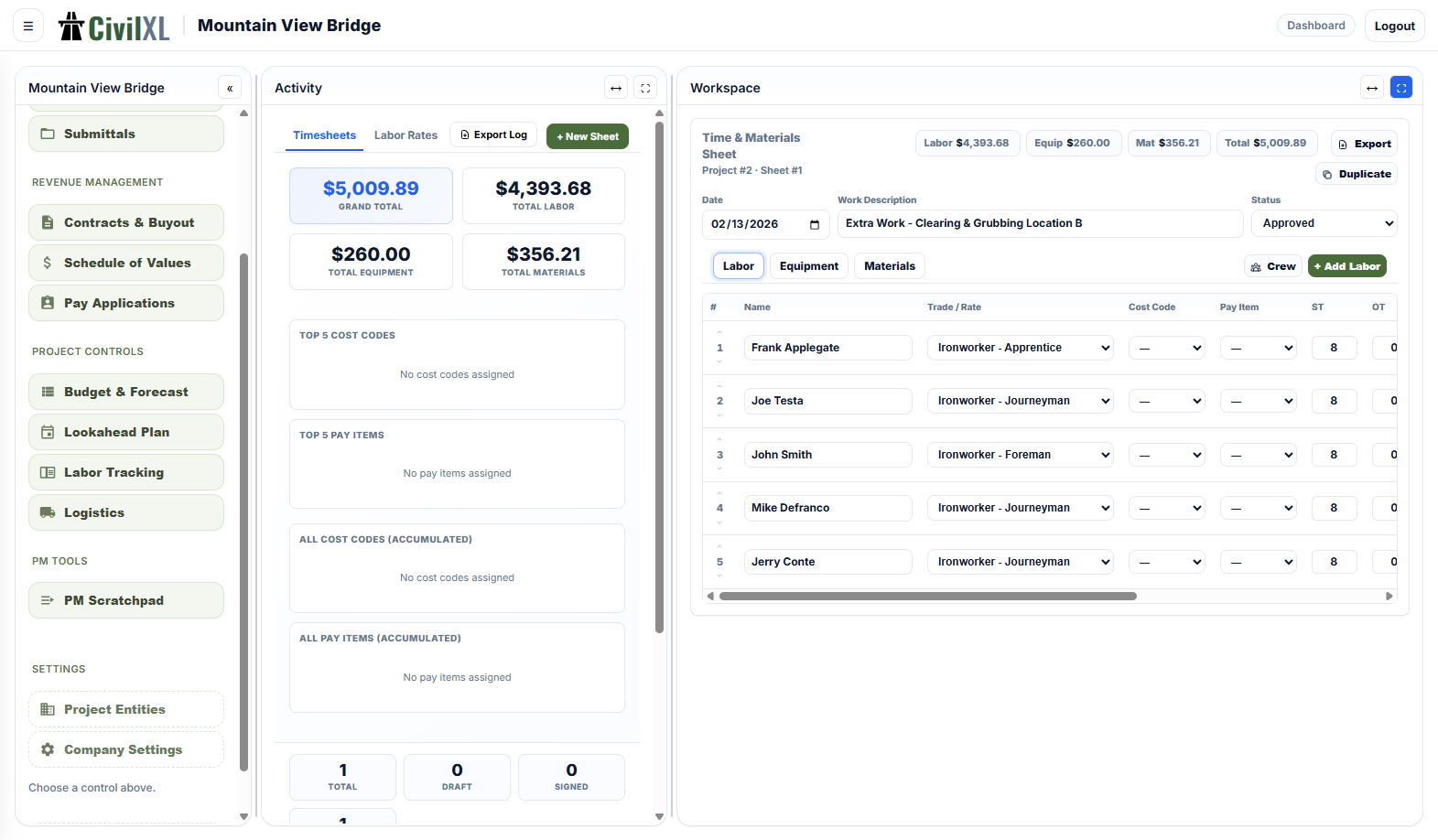
Labor tracking & timesheets
Time sheets per crew, per day, per task. Rates, equipment, materials. Export clean Excel and PDF reports for payroll and reconciliations.
CivilXL is not a replacement for enterprise software. It's meant to work alongside the project-controls and CM platforms your company already pays for — not in lieu of them. It picks up the day-to-day jobs those tools leave on a spreadsheet.
The pay-app workbook, the daily log template, the lookahead, the field-photo folder, the hour-by-hour shift plan you scratch in a notebook on the way to the site — those are the jobs CivilXL is for, and it's kept that narrow on purpose.
- Can I export my data?
- Yes. Every module exports to Excel, PDF, or CSV. The data is yours — if you cancel, you keep the exports.
- Does it work on a phone or tablet?
- Field logs, RFIs, and Reader work on a phone in the browser. The CAD, 3D Builder, and scheduling modules are desktop-first — they're built for a keyboard and a mouse.
- What does it cost?
- Free for 30 days. $20 a month after that — deliberately affordable, set to cover server costs and let me keep working on it. Your subscription also unlocks the rest of the tools I've built: Fraywire, urIssue, and Glideslope.ai.
- Where does my data live?
- On a server I run, encrypted at rest. No ads, no resale, no training of third-party models on your project data.
- Who's behind this?
- One civil engineer with sixteen years on large public infrastructure jobs and twenty-two years of coding on the side, working independently. There's no company, no investors, and no roadmap meetings — if something's broken, you'll be writing to the person who'll fix it.
Built by one civil engineer who got tired of VLOOKUP in pay applications.